
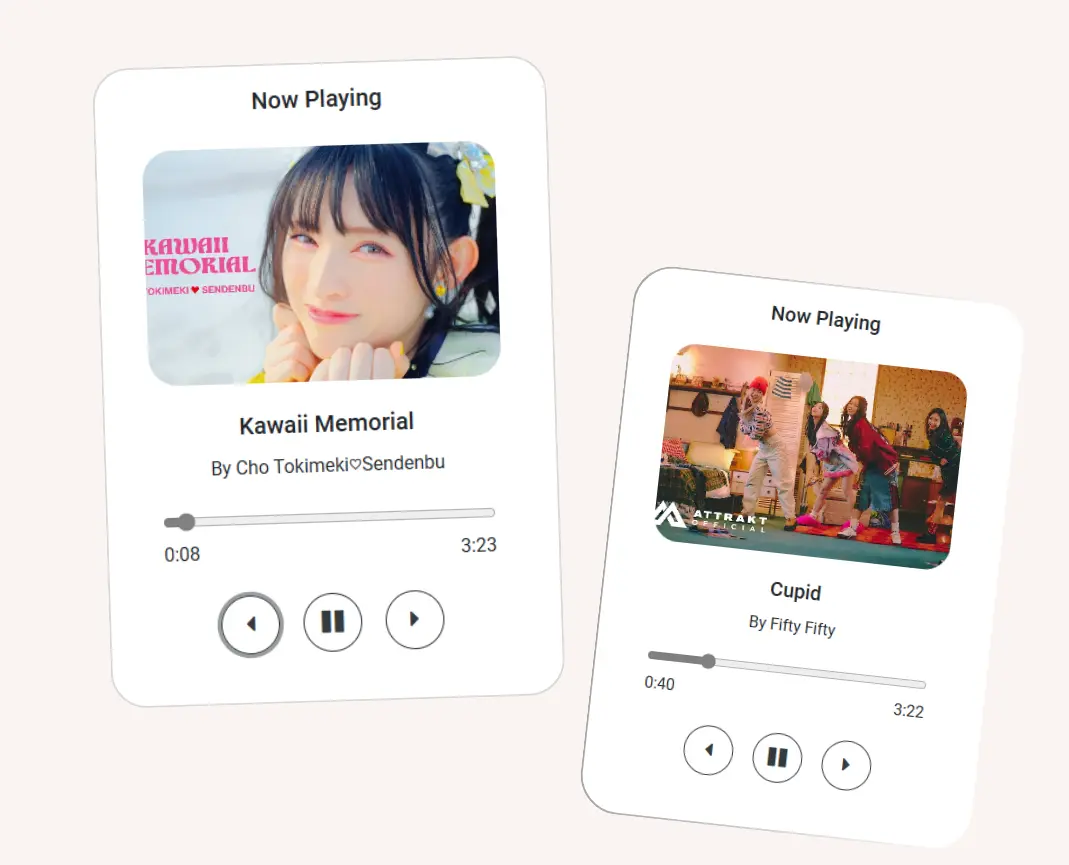
If you’re learning JavaScript and want a beginner-friendly yet practical project, a Music Player using JavaScript is a perfect choice. It helps you understand core web development concepts like DOM manipulation, event handling, and audio control—all while building something fun and useful.
In this article, we will explore how the project works, its features, technologies used, and why it’s an excellent pick for students and developers looking to practice JavaScript.
Table of Contents
What Is the “Music Player Using JavaScript” Project?
This project is a simple, responsive, and fully functional web-based music player created using:
- HTML – for basic structure
- Bootstrap 5 – for styling and layout
- JavaScript – for interactivity, logic, and audio controls
Users can play, pause, switch songs, and enjoy an easy-to-use interface—just like a mini music app built directly in the browser.
Music Player Using JavaScript —- Live Demo:
Key Features of the JavaScript Music Player
Here’s what makes this project simple yet effective:
Play & Pause Controls
Users can easily play or pause any song with a single click.
Next / Previous Song Navigation
Move through your playlist smoothly with JavaScript event functions.
Song Progress Bar
Displays how much of the song has been played—updated dynamically.
Volume and Timing Controls
Adjust sound levels or skip through tracks using the progress slider.
Responsive UI
Thanks to Bootstrap 5, the interface works smoothly on desktop and mobile screens.
Technologies Used
The player is built using a clean combination of:
HTML5 → Basic layout for the Music Player
CSS / Bootstrap 5 → Styling, spacing, and responsiveness
JavaScript (Vanilla JS) →
- Handling playlist
- Managing audio object
- Updating UI in real time
- Adding functionality to buttons and sliders
This is an excellent real-world JavaScript project for beginners.
You can also read these article: How to Create a Countdown Timer with Alpine.js
Learning Outcomes
By building or studying this project, you learn:
- How to use the HTML5 audio API
- How JavaScript interacts with DOM elements
- How to create a dynamic playlist
- How to structure small JS projects
- How to display UI updates in real time
Whether you’re a student, JavaScript beginner, or someone building your portfolio, this project is a great skill booster.
Download the Source Code
All source code for this project—and many more—is freely available for learning and experimentation.
You can check out my other front-end projects, explore the code, and use them however you like.
Conclusion
The Music Player using JavaScript is a practical, hands-on project that helps developers understand real-world concepts in a simple way. It’s beginner-friendly, visually appealing, and a great addition to any web developer’s project portfolio.
If you’re learning JavaScript, building small projects like this can significantly improve your skills and confidence.